Global Footer

To edit the information in the Global Footer, go to your WordPress dashboard. From there, navigate to NAMI Website Settings, then Footer Info.
Depending on your particular website you might see Affiliate Settings instead of NAMI Website Settings.
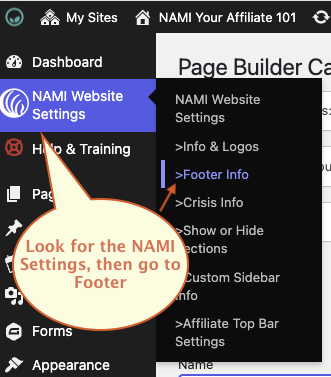
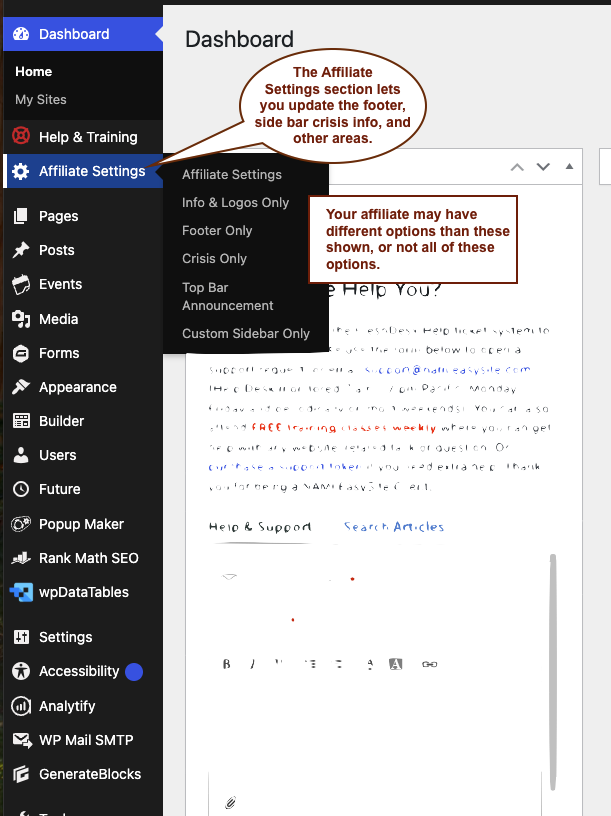
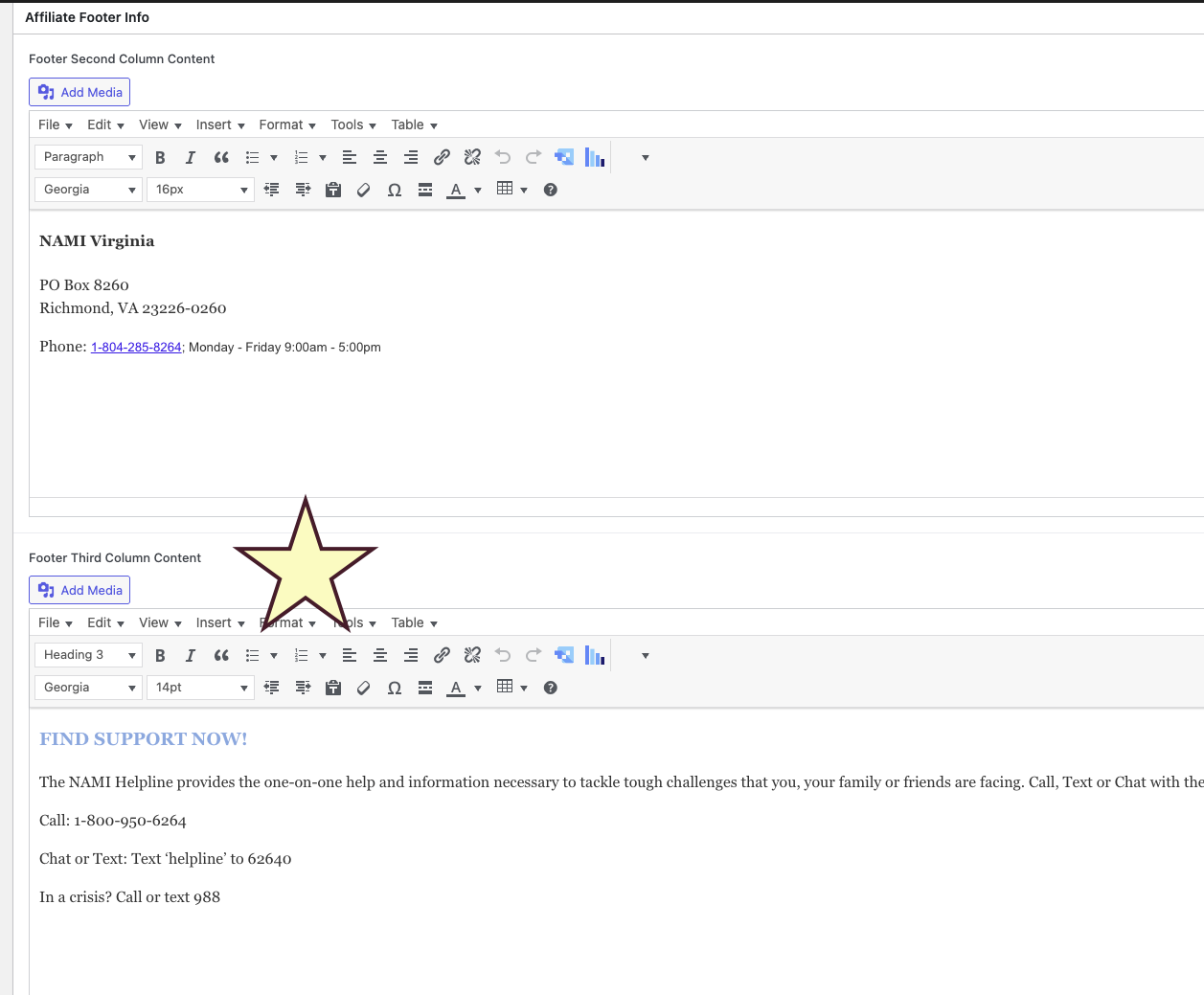
From there, you can update the information under the "Contact Us" and "We're Here to Help!" columns. Avoid making any changes to the "Upcoming Events" column.

Click Update when finished.
Was this article helpful?
That’s Great!
Thank you for your feedback
Sorry! We couldn't be helpful
Thank you for your feedback
Feedback sent
We appreciate your effort and will try to fix the article