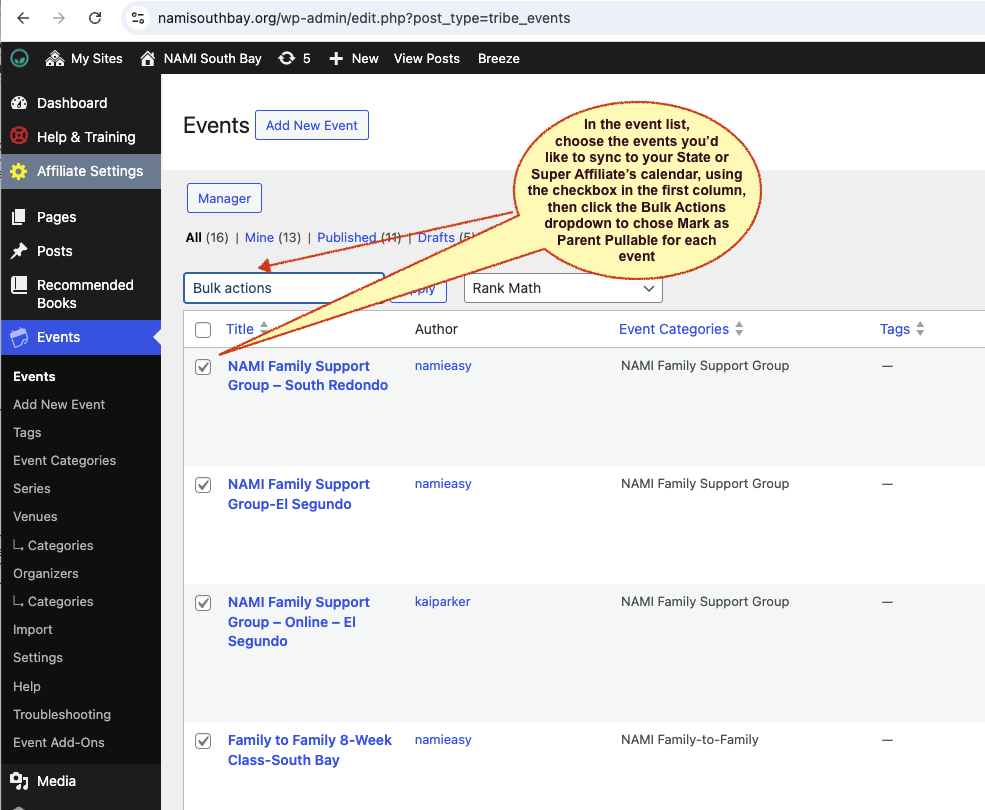
1. First use Bulk Actions from the Events List to choose which events you'd like to share:
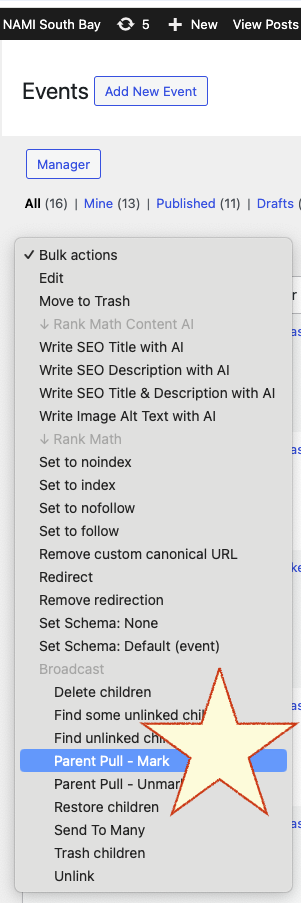
2. Then, choose the Bulk Action 'Parent Pull - Mark':
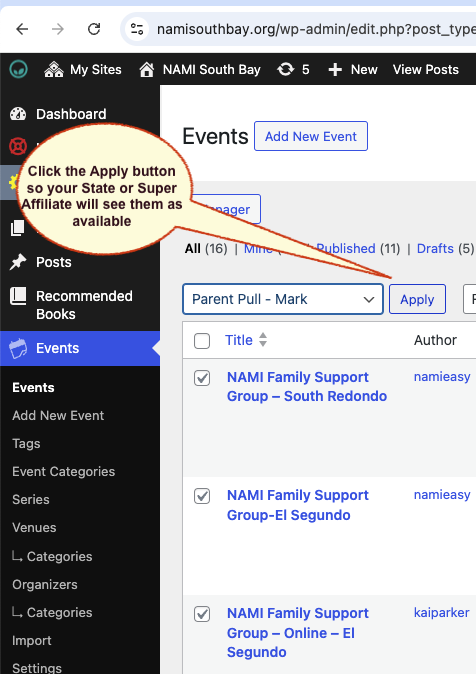
3. Finally, click Apply and all chosen events will be marked as available to all affiliates in your sharing group.
Was this article helpful?
That’s Great!
Thank you for your feedback
Sorry! We couldn't be helpful
Thank you for your feedback
Feedback sent
We appreciate your effort and will try to fix the article