For links that are on your website, you can use Rank Math's Redirections tool. If you would like to redirect a page to another website, please read this article.
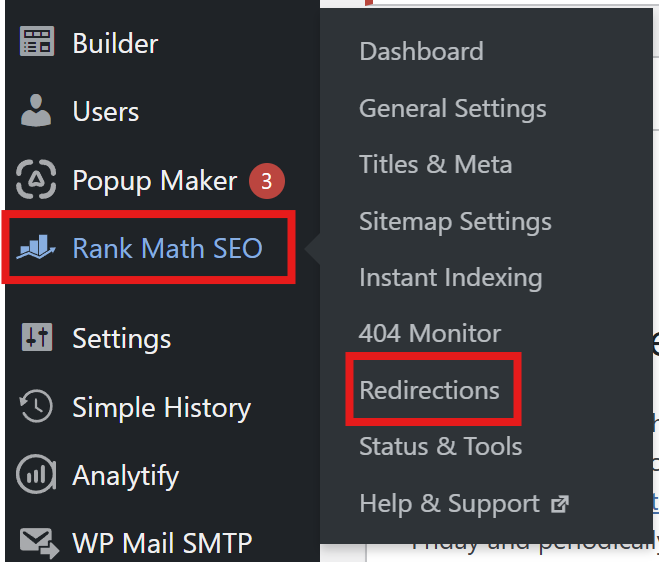
In the backend of your site, go over the the menu on the left of the screen and hover over Rank Math, then select Reirections.
At the top of the page, click Add New.

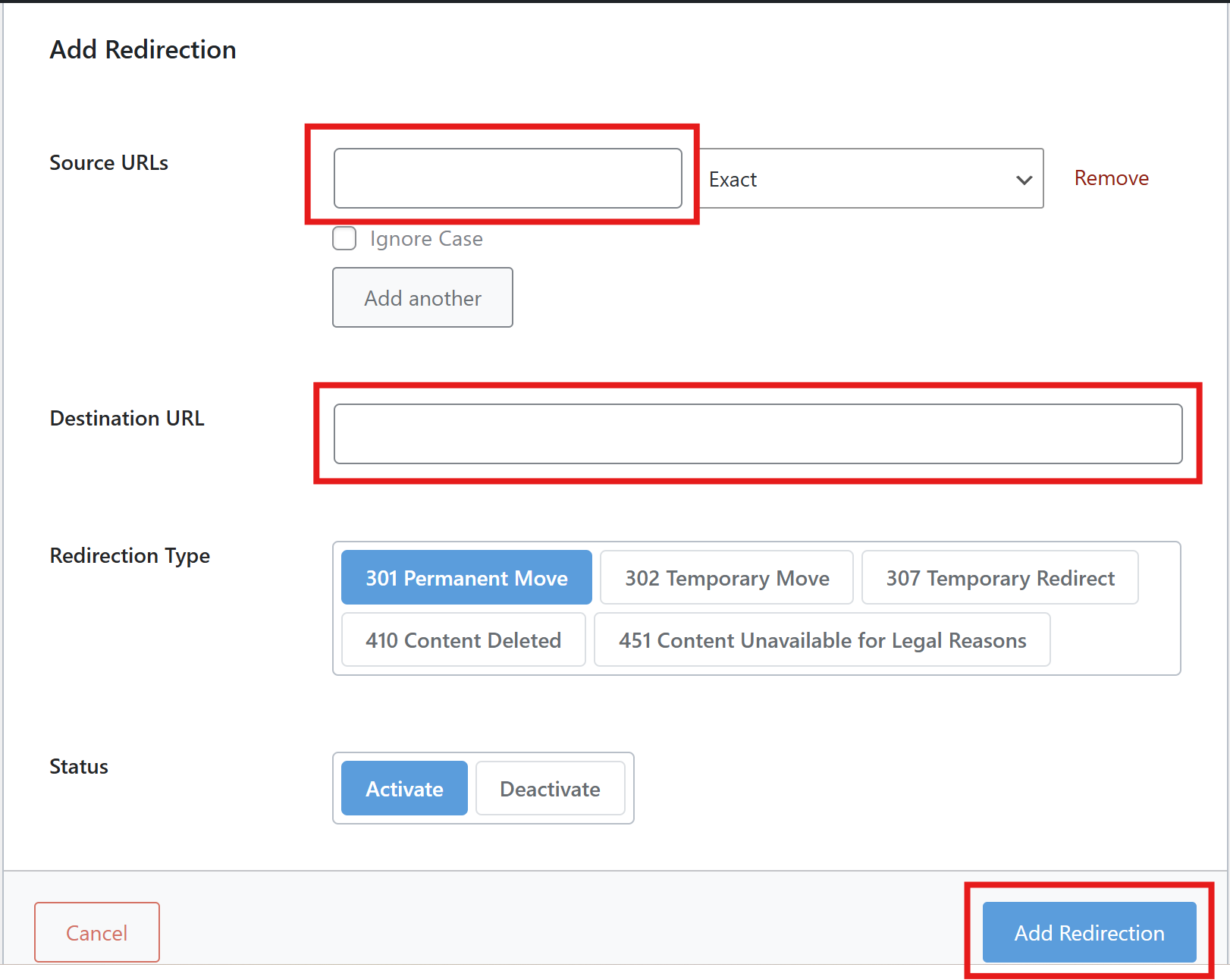
This will open a tab as shown below.
Copy and paste the broken link or the link you would like to redirect where it says Source URLs.
Then copy and paste the correct link, the link you would like to redirect to, where it says Destination URL.
Then click Add Redirection.
Was this article helpful?
That’s Great!
Thank you for your feedback
Sorry! We couldn't be helpful
Thank you for your feedback
Feedback sent
We appreciate your effort and will try to fix the article