To mark a one-time event as canceled, edit the event from either the backend or the frontend. To cancel a single occurrence of a recurring event, edit the event from the frontend.
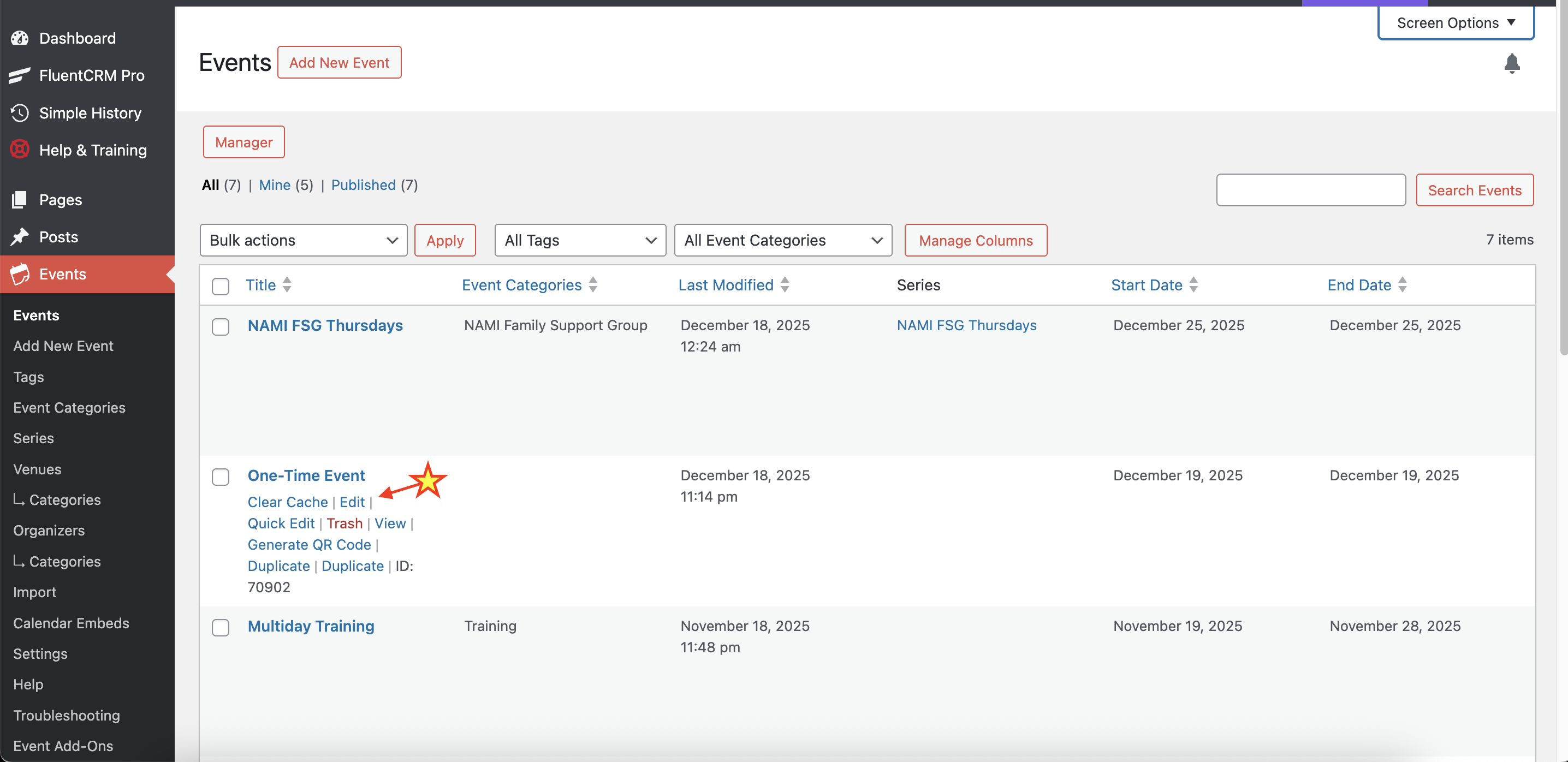
To edit an event from the backend, go to Events and select the event you wish to cancel:
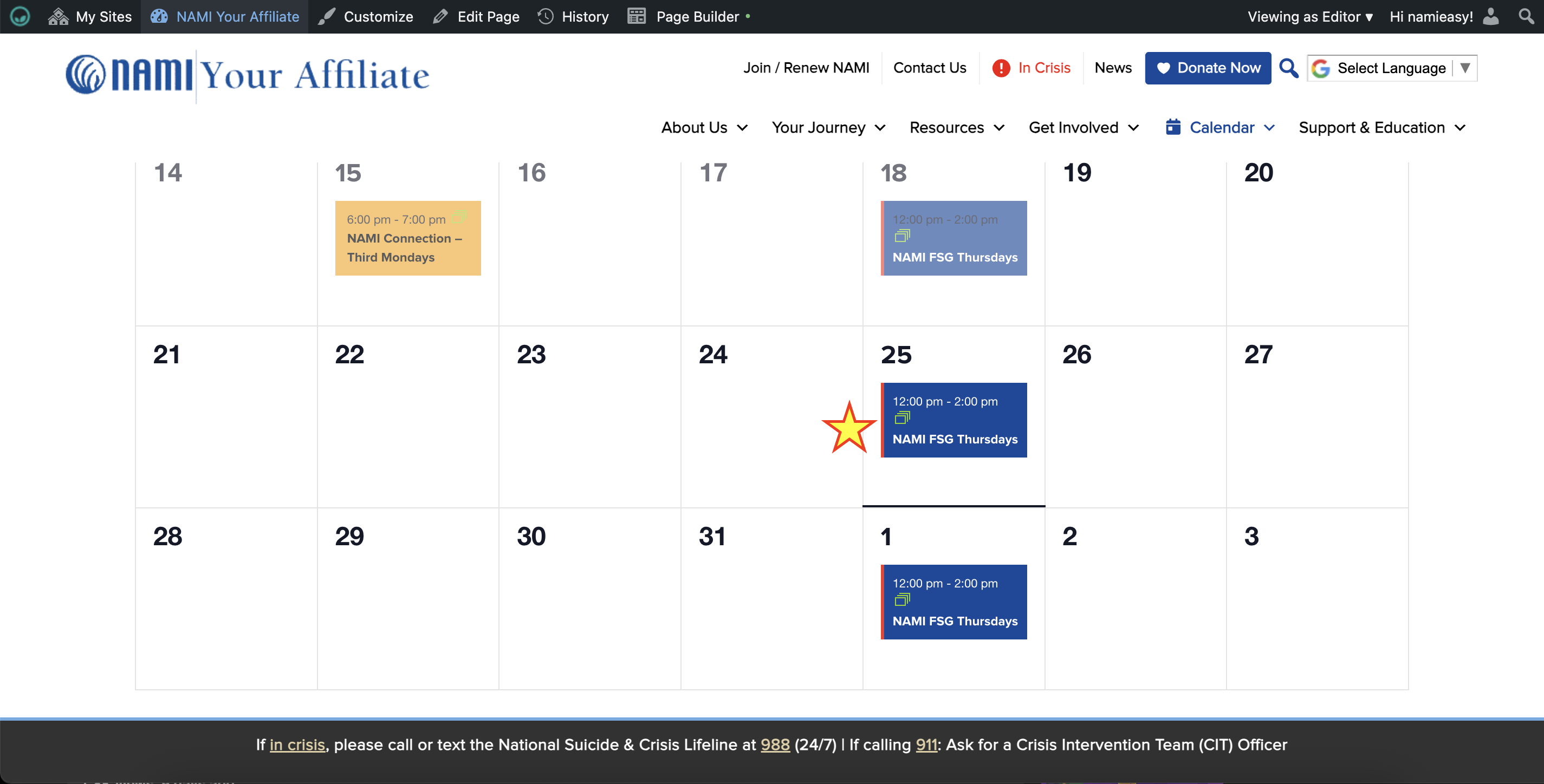
To edit an event from the frontend, go to Calendar and click on the event you wish to cancel:
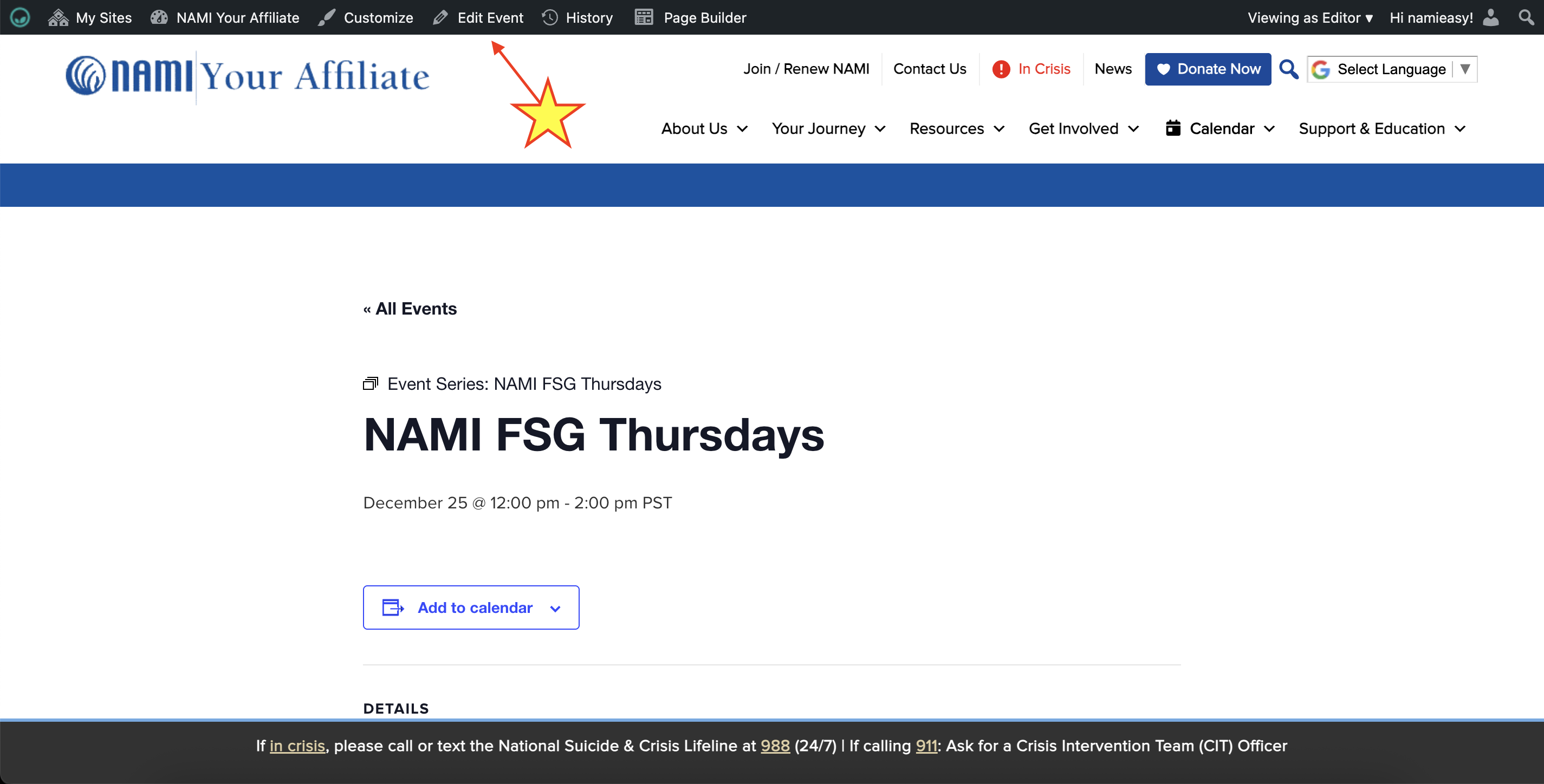
Then, click on Edit Event in the top admin bar of the event page:
In the event editor page, look for the Events Status panel in the right sidebar:
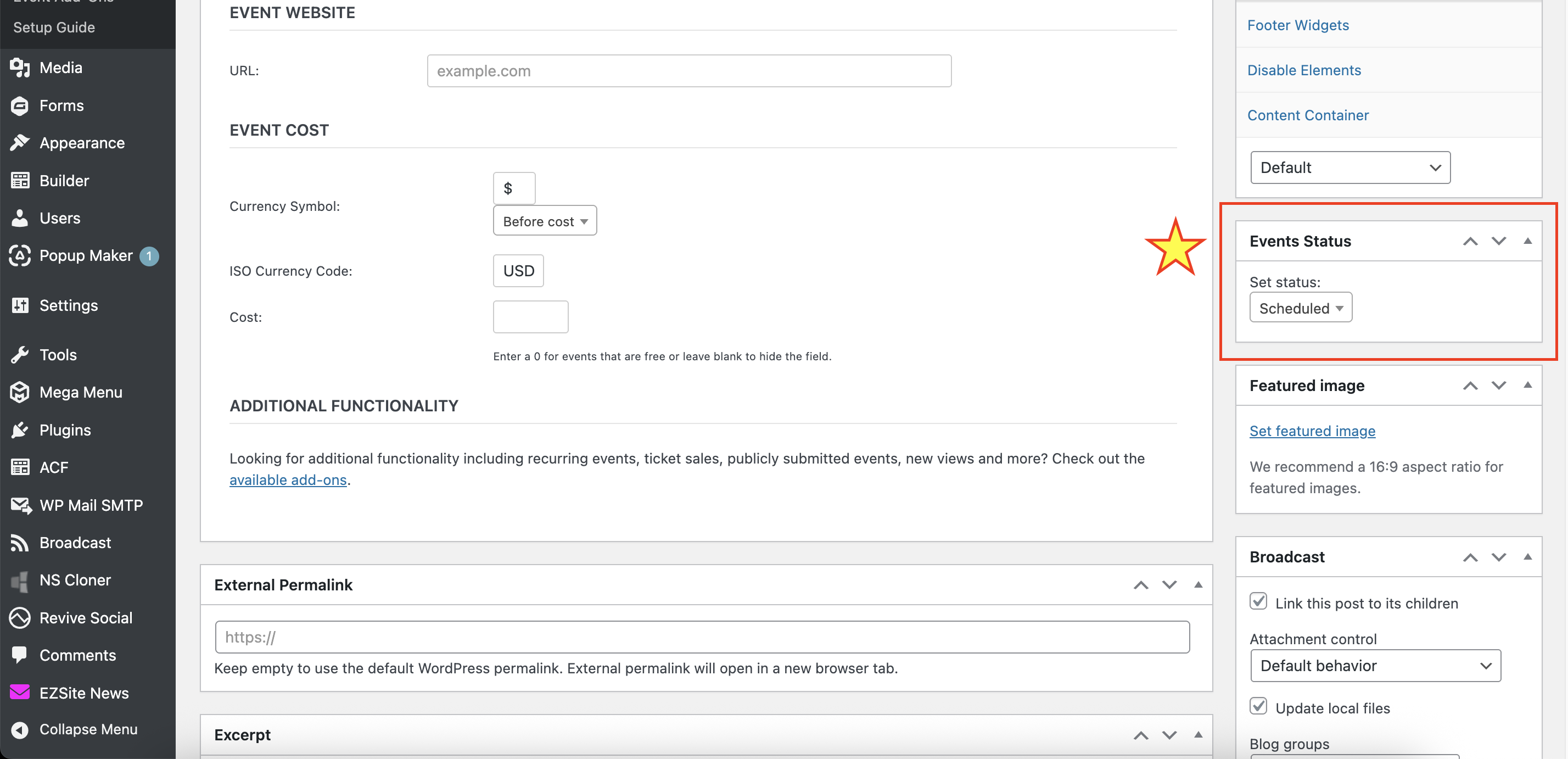
Set the status to Canceled. Enter a reason for the cancellation if desired. Scroll up and click Update to save your change.
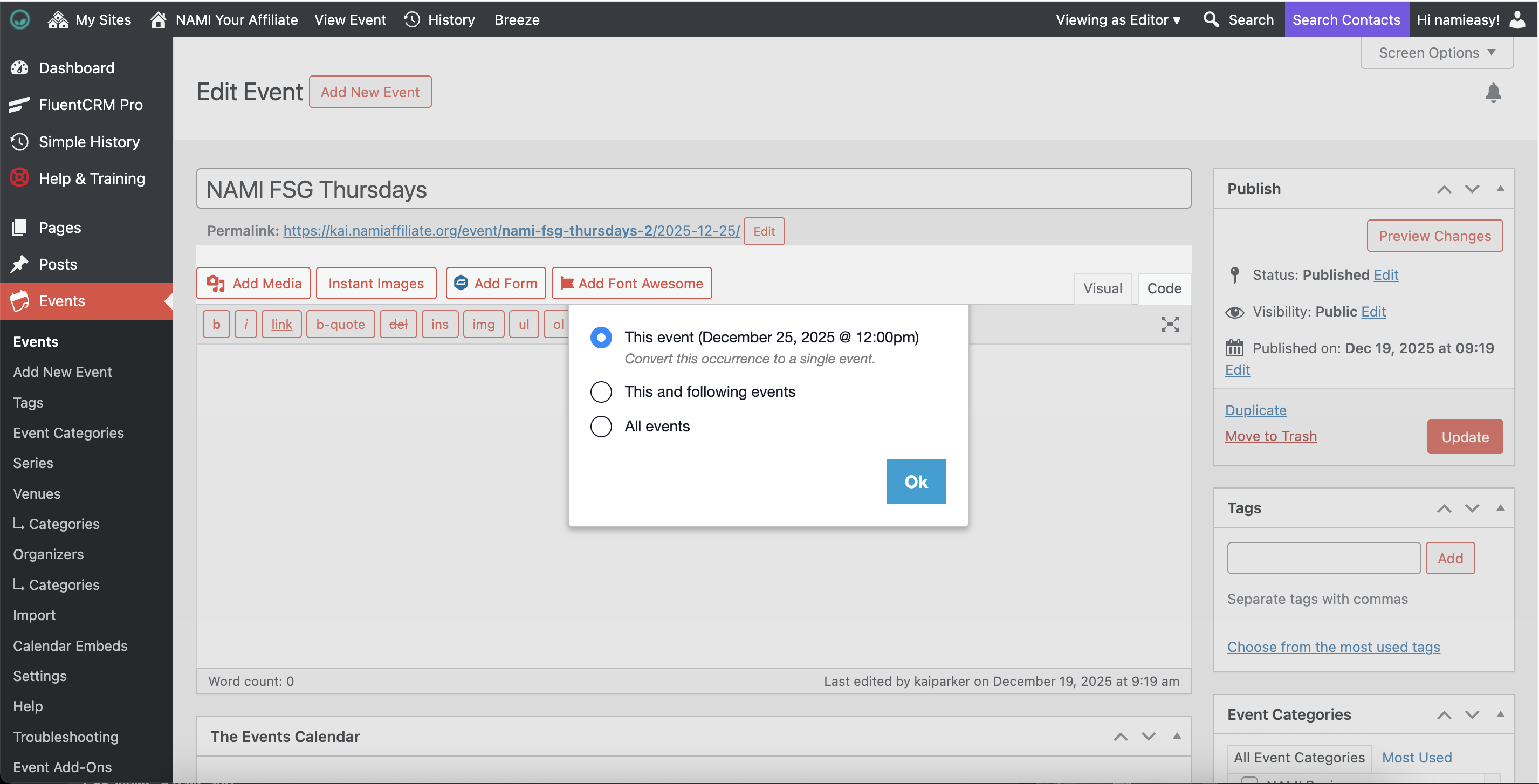
If you are editing a single occurrence of a recurring event, you will be prompted to choose which events to apply your change to. To cancel just one date of the event, pick This Event which converts the occurrence to a single event:
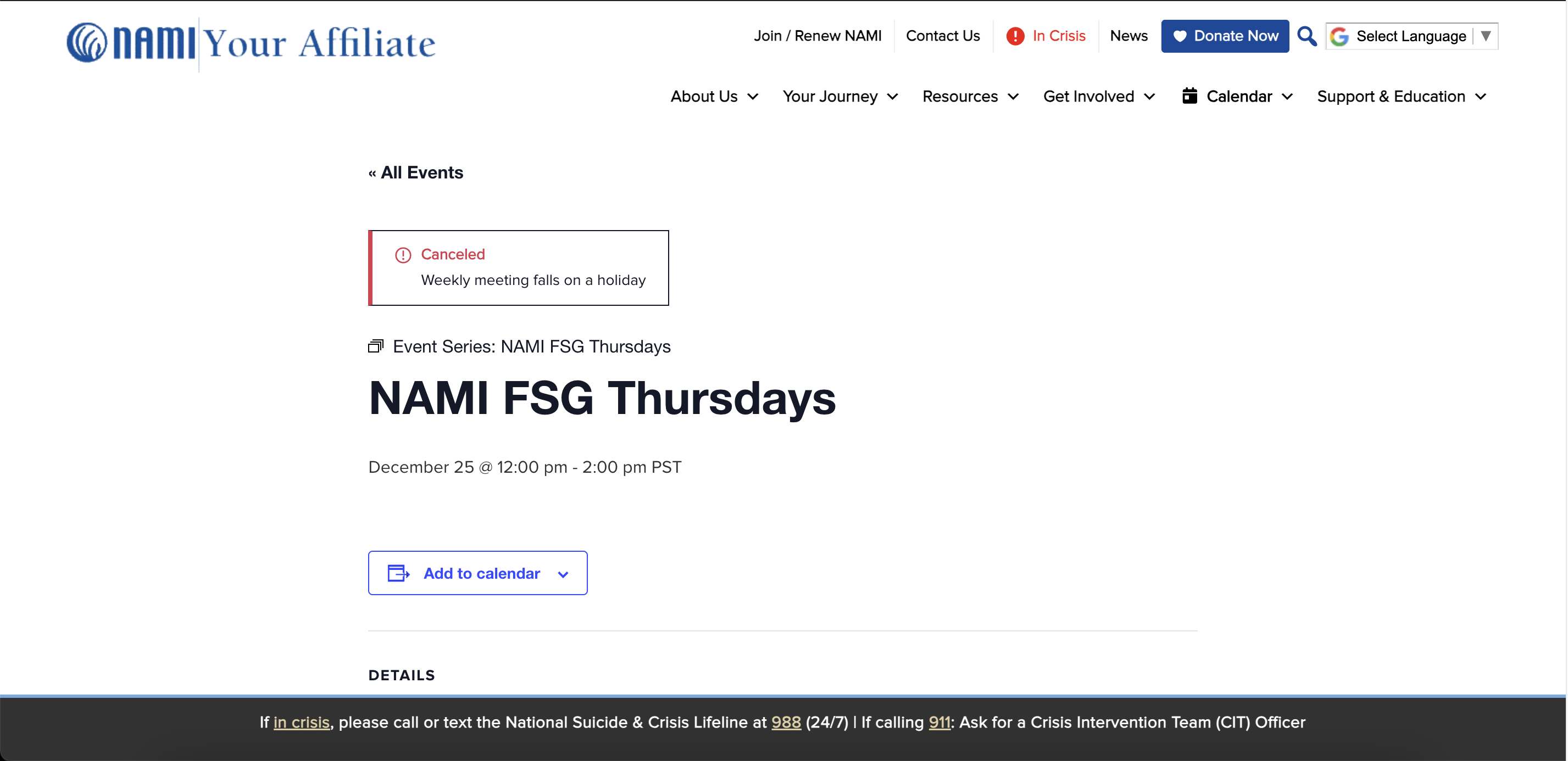
The event will show up on the calendar and in the calendar widgets with an indication that it has been canceled:
Was this article helpful?
That’s Great!
Thank you for your feedback
Sorry! We couldn't be helpful
Thank you for your feedback
Feedback sent
We appreciate your effort and will try to fix the article